
Browsing areas
I gave promotions, categories and recommendations separate areas, so each has a clear job on the page.
Commerce | Self-initiated concept
I designed a storefront and a search-results listing that take a shopper from browsing categories to comparing products, using visible filters and a consistent product card.

PROJECT AT A GLANCE
DESIGN WALKTHROUGH
Three decisions shape how the storefront and the listing work together.
I gave promotions, categories and recommendations separate areas, so each has a clear job on the page.
Filters stay visible alongside the products they apply to.
Every product card follows the same layout, so products can be compared side by side.
Design decisions in this concept.
How does the interface help a shopper move from browsing to comparing products?
How the concept screens connect.
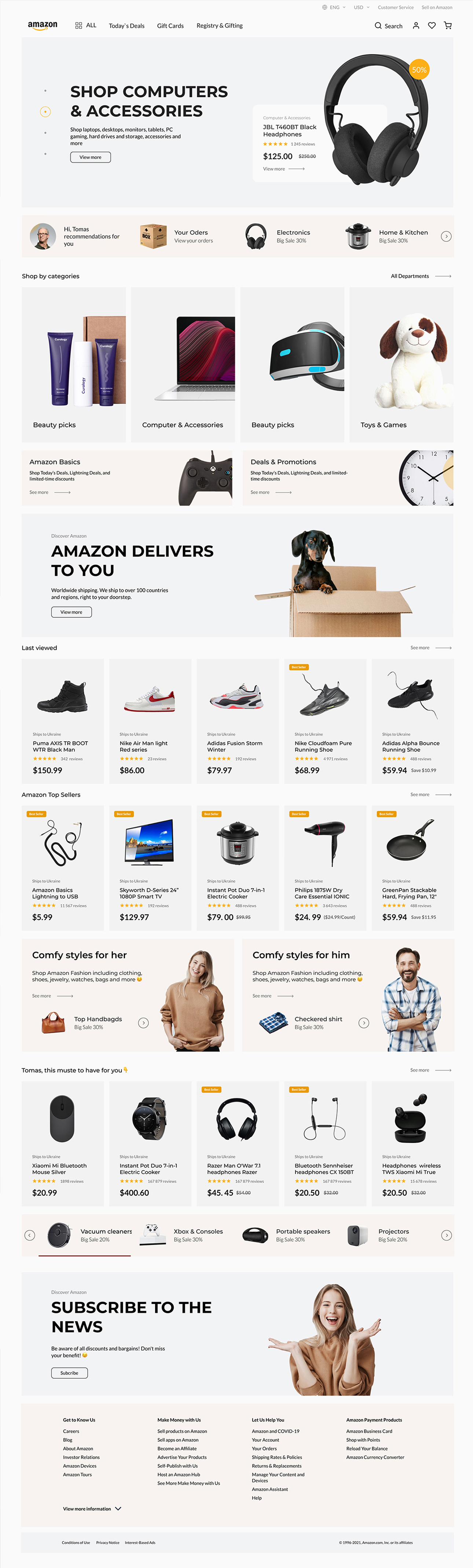
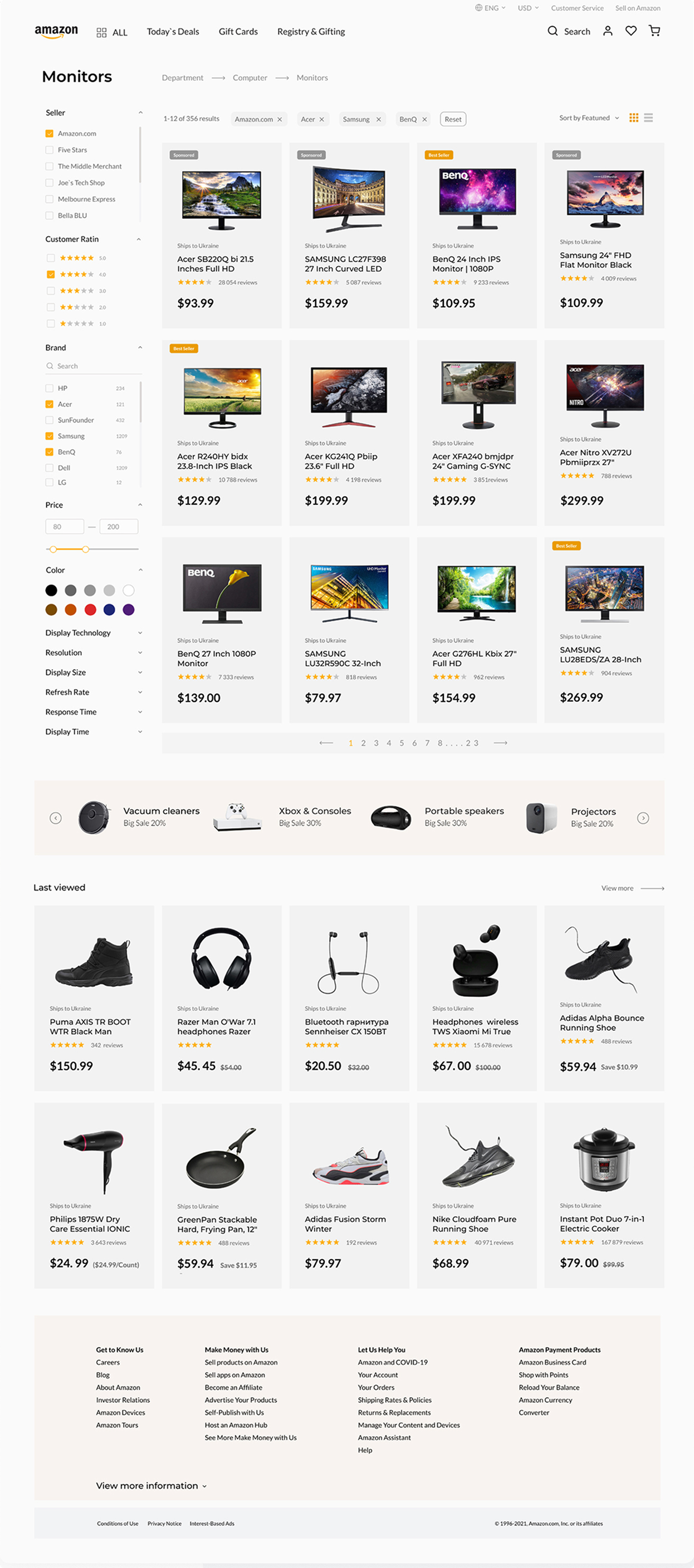
Storefront screen. Values shown are sample data.
01 / 02FROM THE PROJECT FILES
Screens from this self-initiated concept. Values shown are sample data.
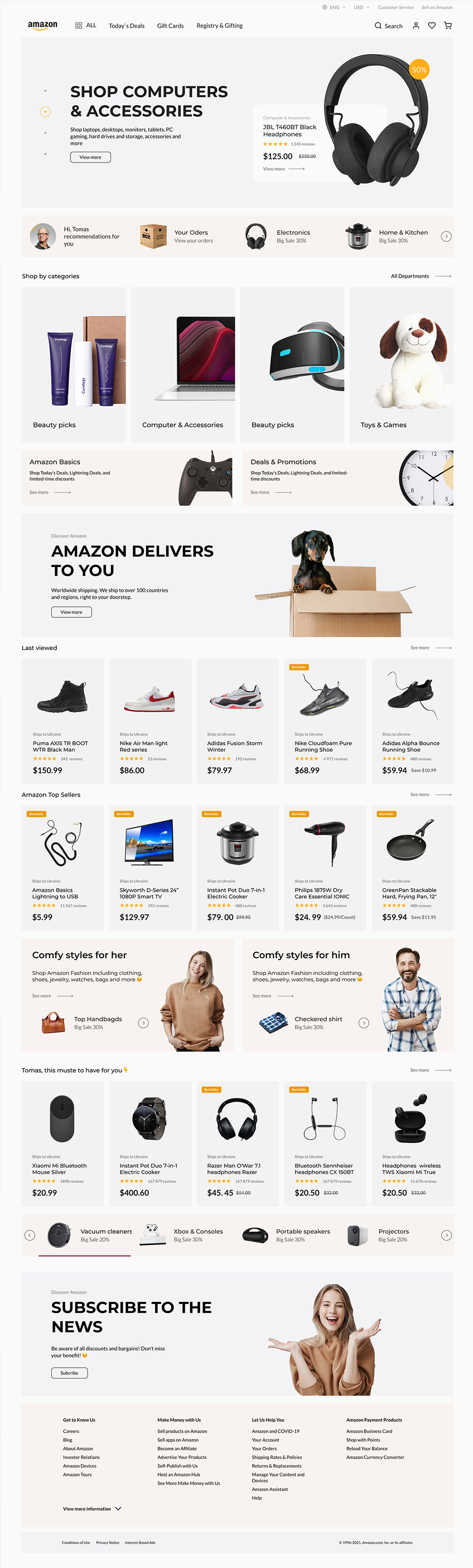
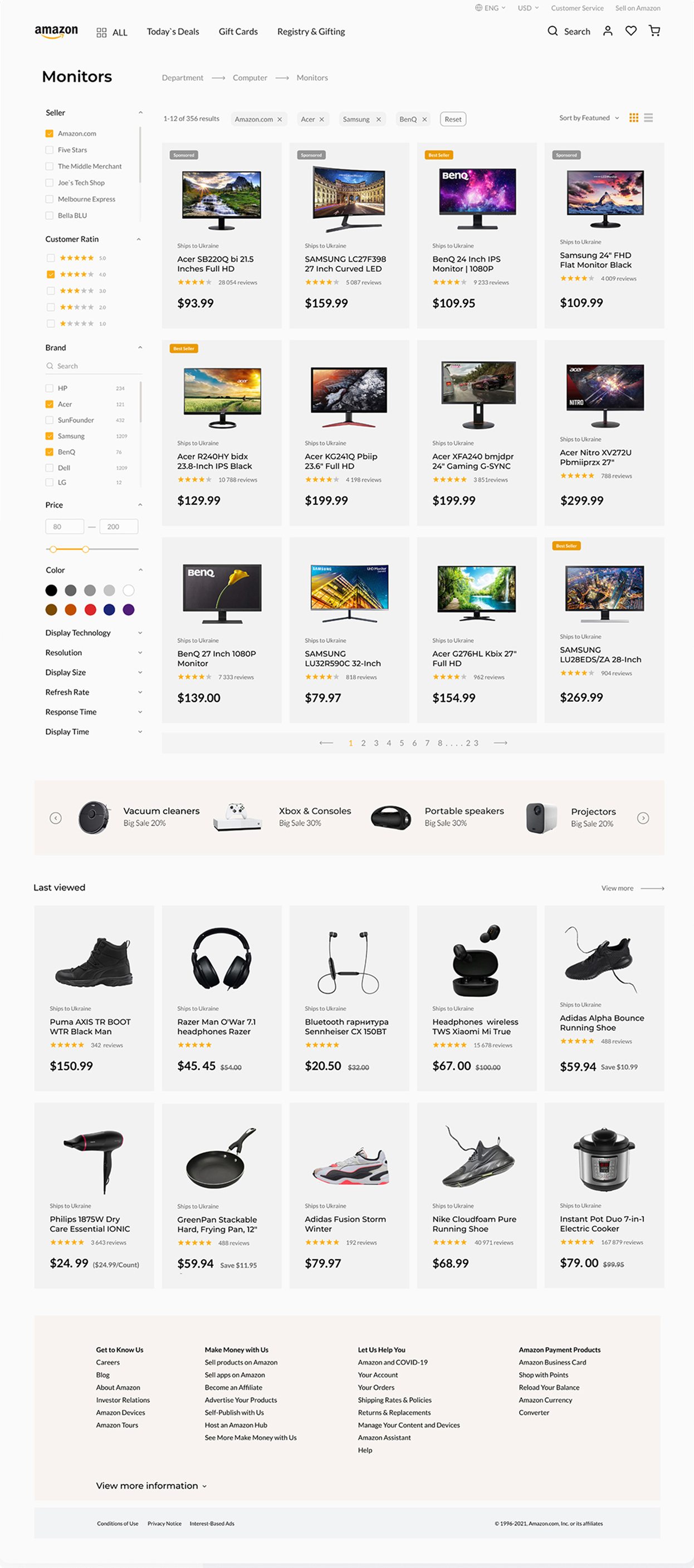
The two screens cover the path from storefront to search results: category entry points, visible filters and a product card built for comparison.