Meeting and note views
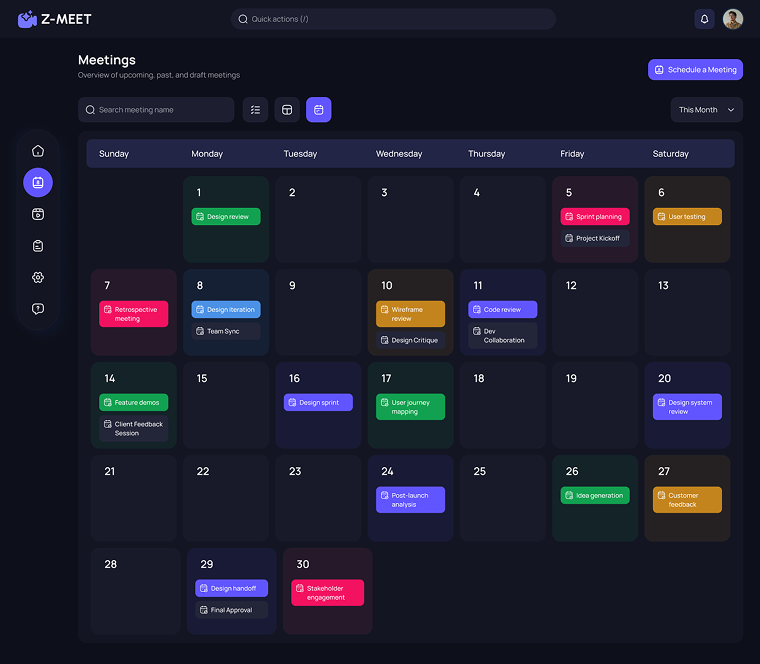
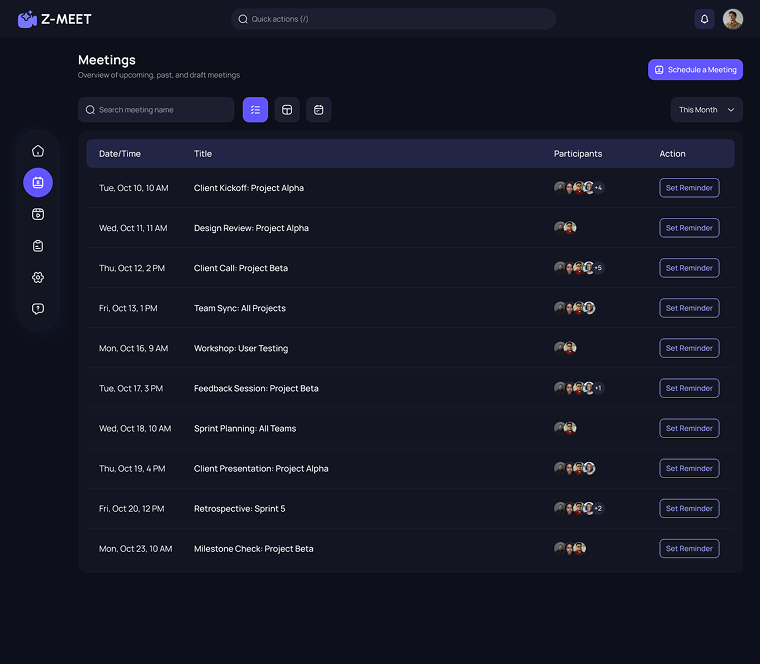
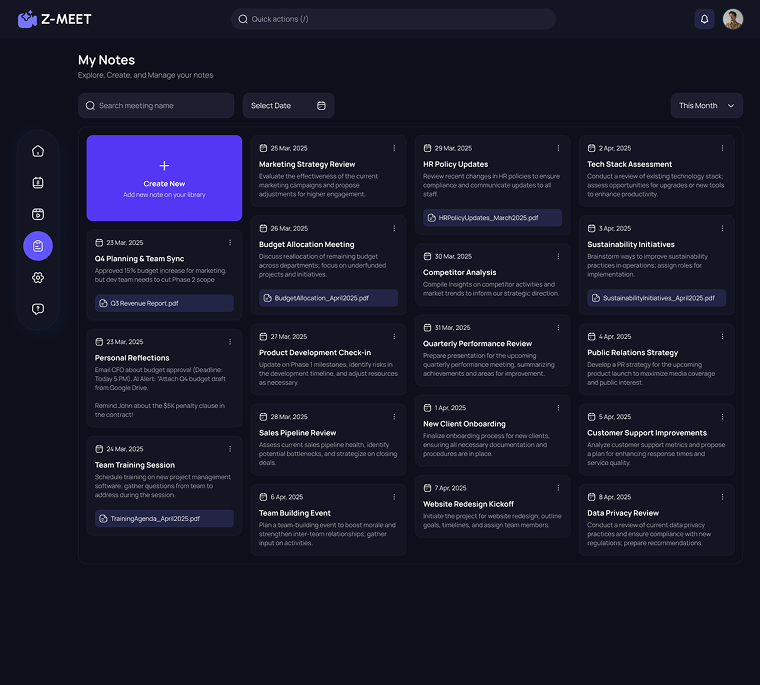
I gave meeting dates, meeting records and note cards their own views, so each kind of material has a clear place.
Meeting workspace | Shipped product
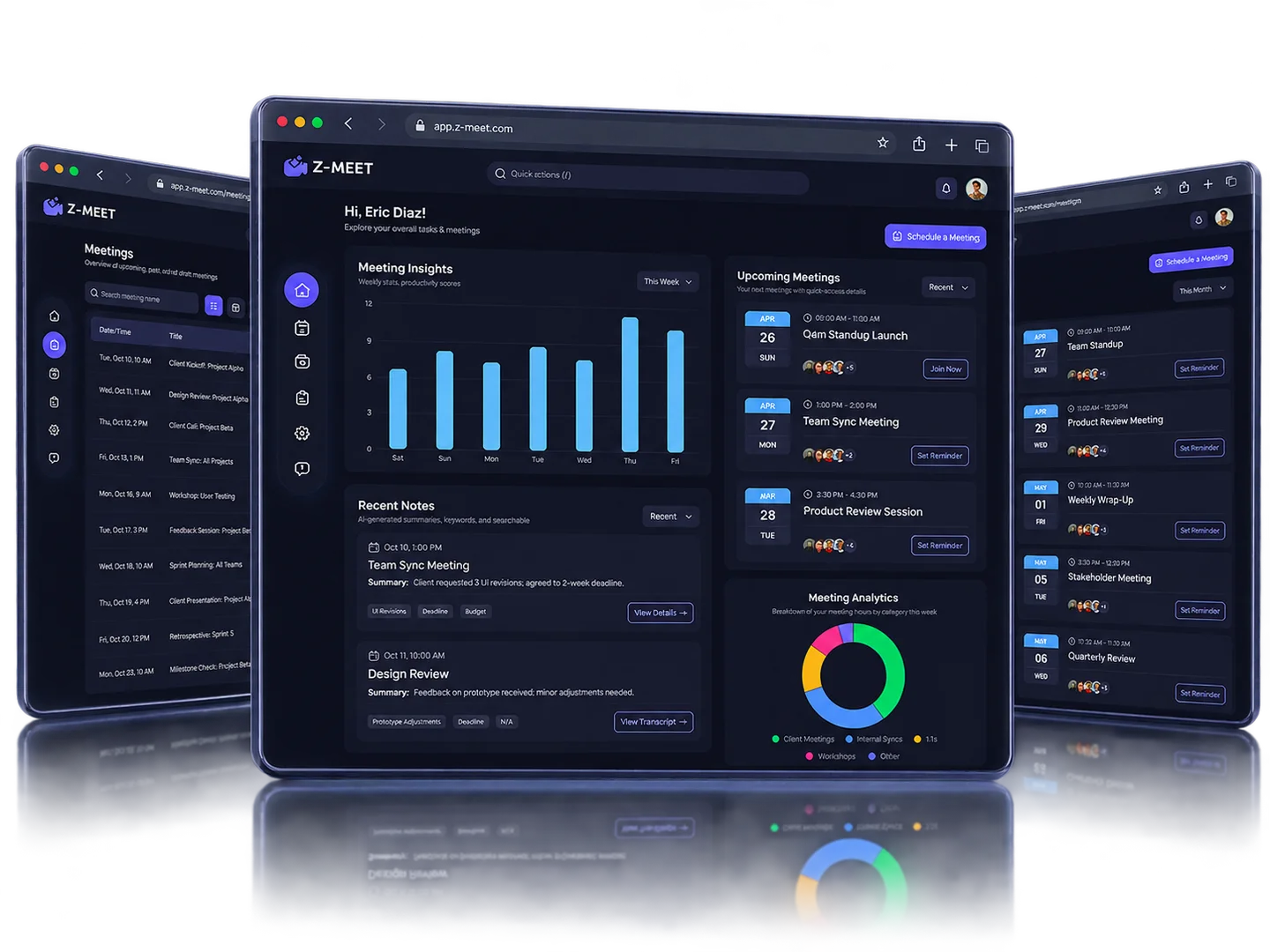
I designed a meeting workspace that brings the dashboard, calendar and list views, meeting records, notes and the video-call layout into one product.
PROJECT AT A GLANCE
KEY DESIGN DECISIONS
Three structural decisions shape how the workspace holds schedules, records and notes.
I gave meeting dates, meeting records and note cards their own views, so each kind of material has a clear place.
The same meetings appear as a calendar for planning by date and as a list for scanning event details.
I kept notes out of the monthly grid and gave them their own search and organization controls.
Each of these decisions shipped in Z-Meet.
How do schedule views and saved material support returning to a meeting?
How the shipped screens connect.
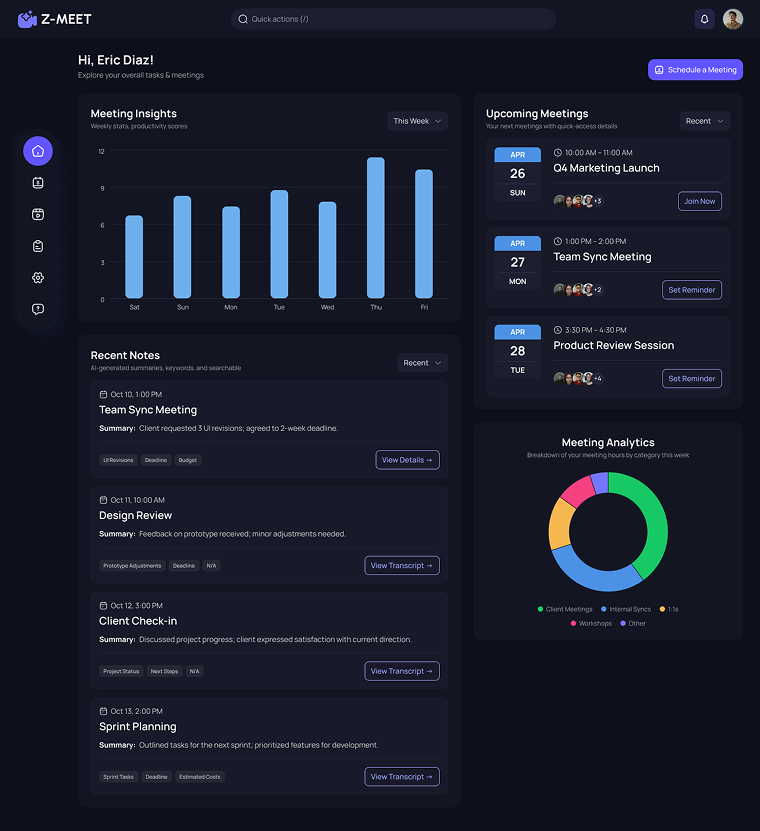
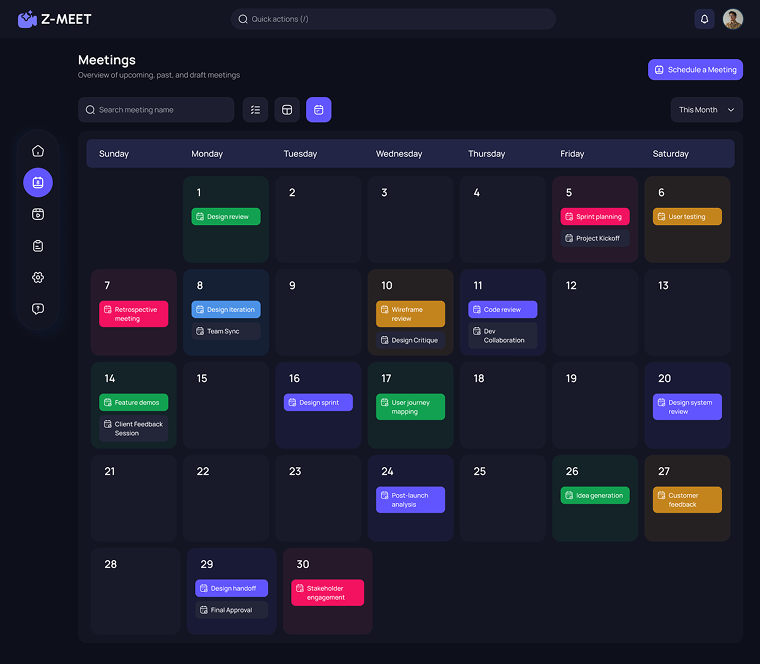
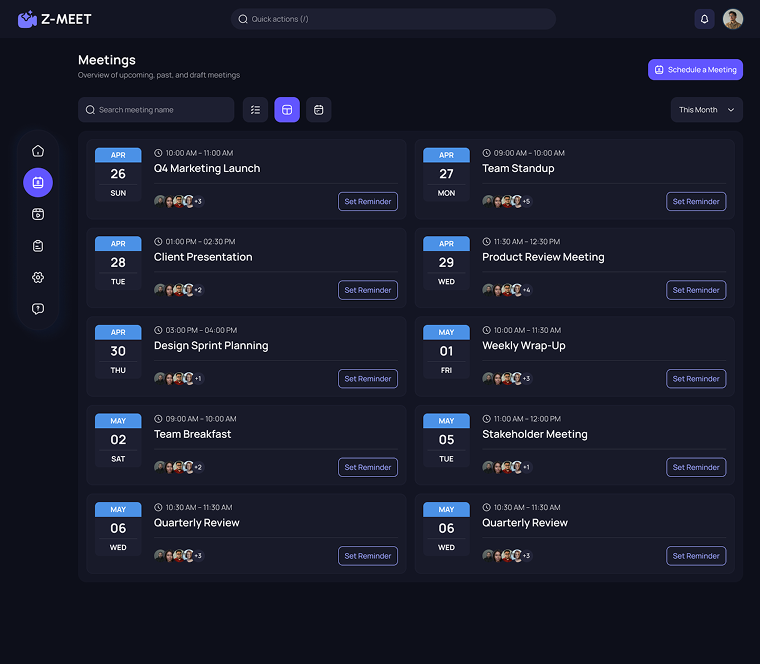
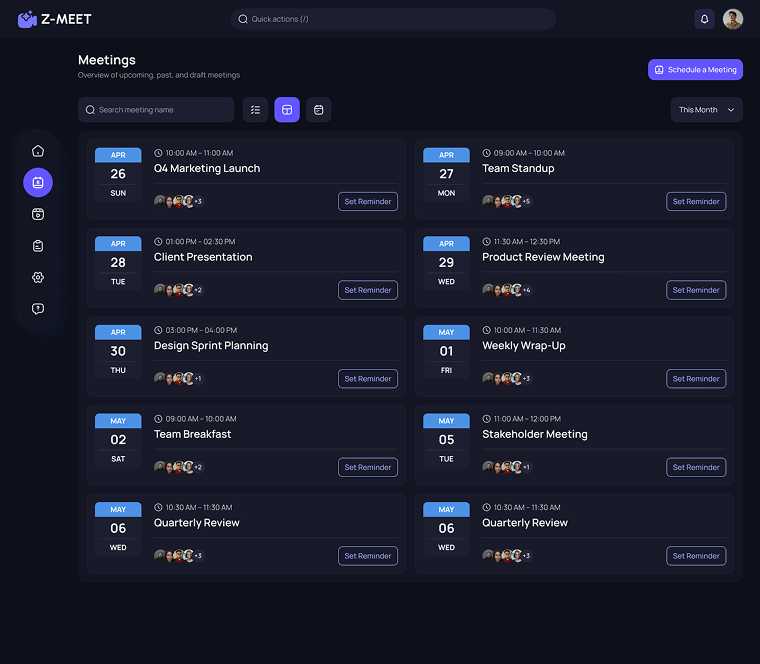
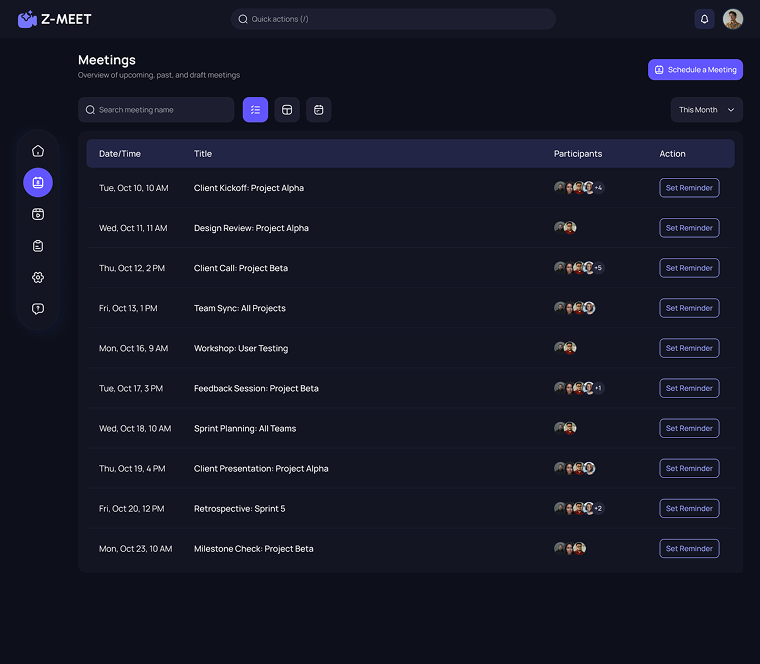
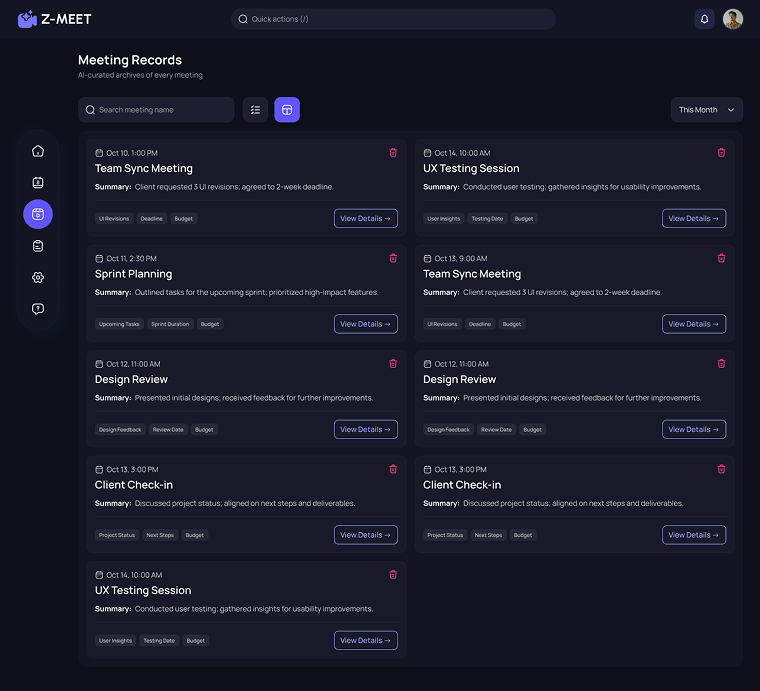
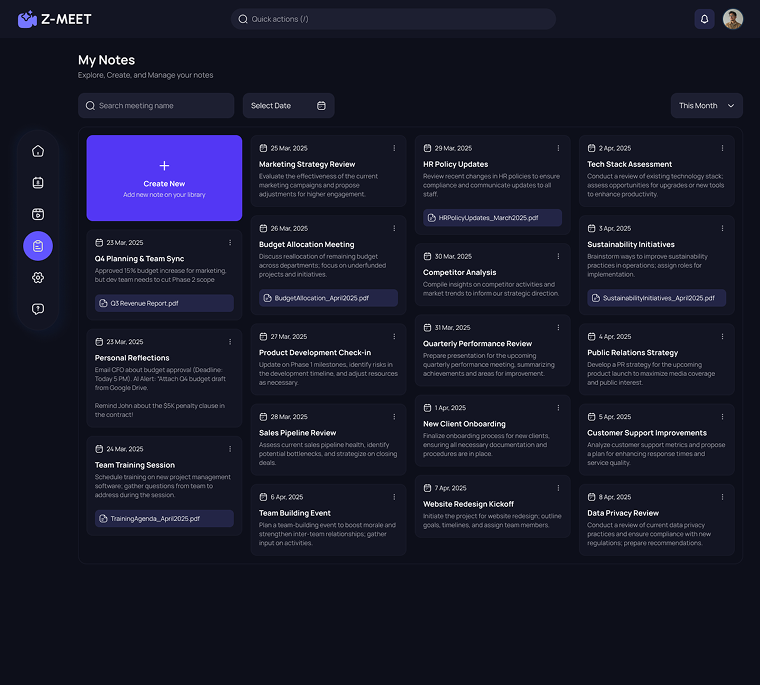
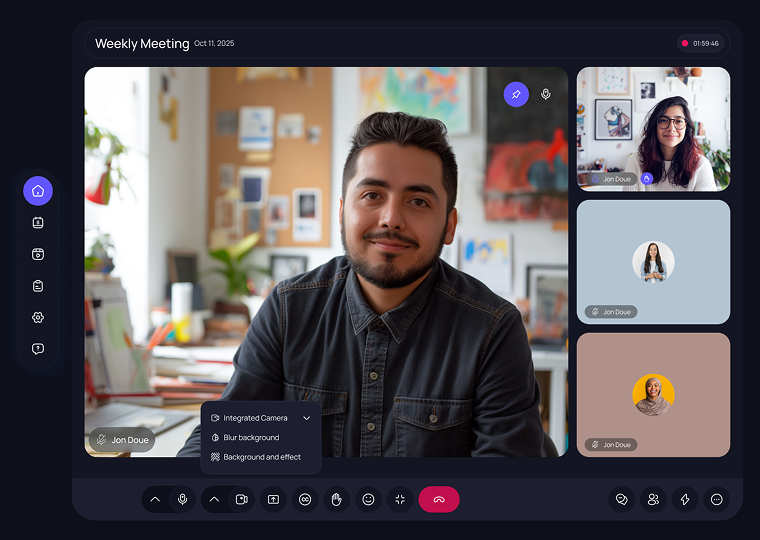
The meeting dashboard, the entry point to the workspace. Values shown are sample data.
01 / 08FROM THE PROJECT FILES
Screens from the shipped product. Values shown are sample data.