
Entry and status views
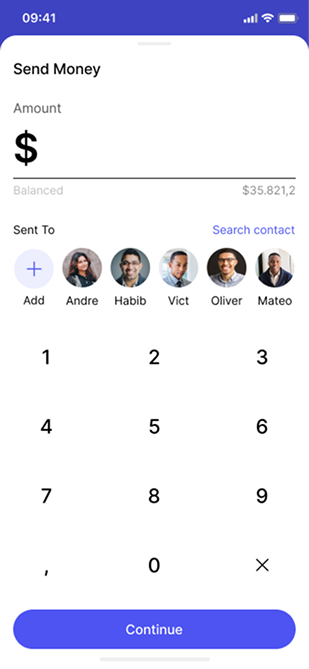
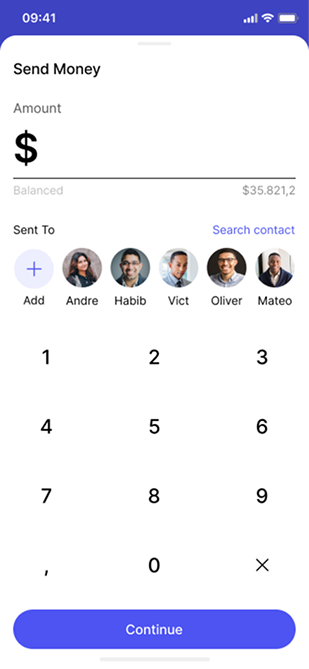
Transfer entry identifies the payment being prepared; the separate status view describes what happens after submission. Together they define where status copy has to do its work.
2022 · Design Lead · 8-person team · Shipped
I owned end-to-end product design for this shipped wallet product as Design Lead. Below are the account, transfer and transaction screens as they shipped, followed by what I’d change next.
Explore the shipped screens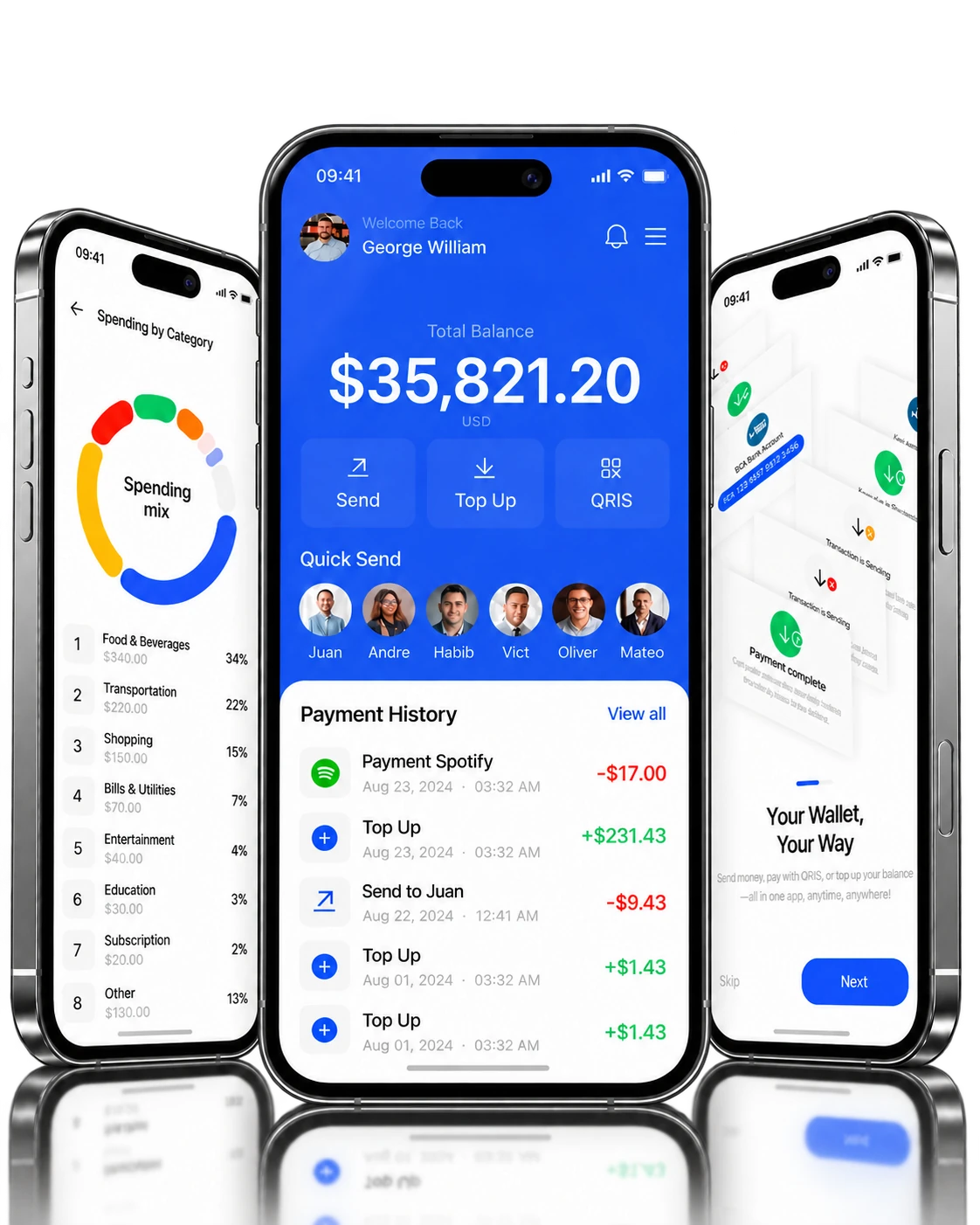
Sample data
PROJECT AT A GLANCE
See the design record for scope and decisions. Project record
Chapters Swipe or scroll for more
01 / CONTEXT
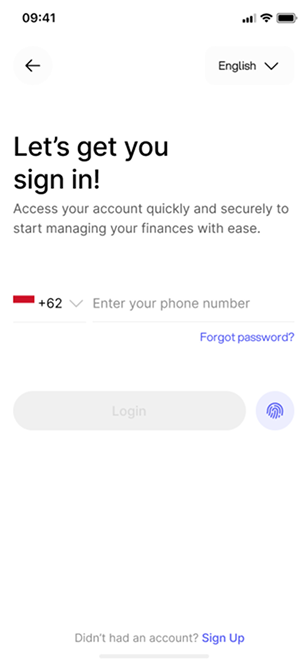
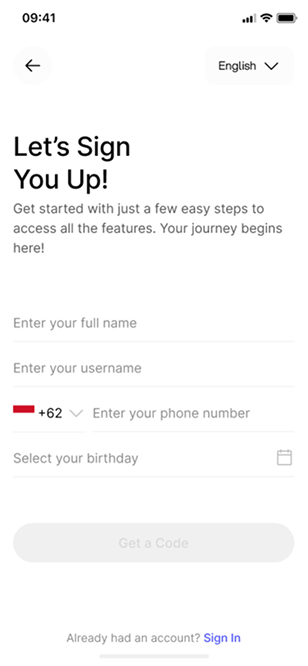
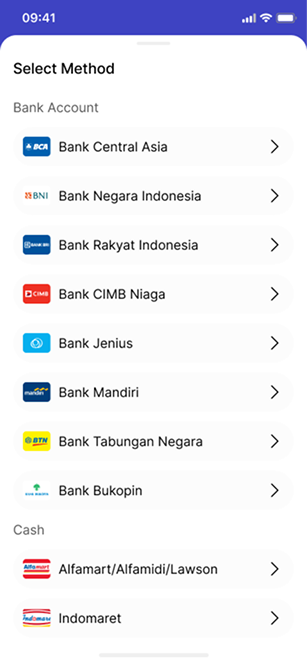
E-Wallet brings account access, money transfers, transaction activity and spending views into one mobile wallet. I designed sign-in and registration, recipient and amount entry, payment-method selection and transaction status, along with onboarding, bill scanning and spending insights.
In 2022, I owned end-to-end product design for E-Wallet as Design Lead within an eight-person project team, through to launch. The shipped screens come first; the pending-state and copy changes I’d make now follow in the retrospective. The shipped screens cover:
02 / SCREEN REVIEW
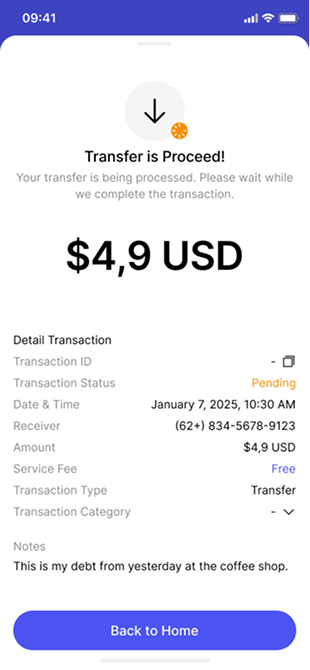
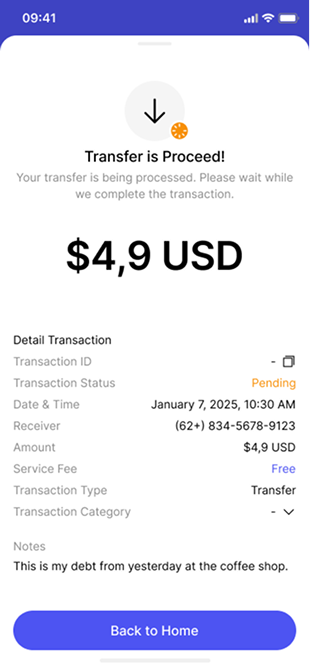
The shipped status screen pairs completion wording with a pending field, so one view carries two messages. In the retrospective I keep the transfer information and rewrite the status explanation around the pending state.
THE PRODUCT
Walk through the shipped screens below.
These are the screens as they shipped. The pending-state and copy changes in the retrospective further down are post-launch thinking, not part of the release.

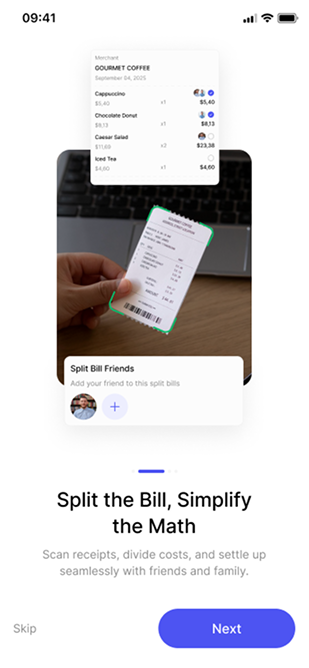
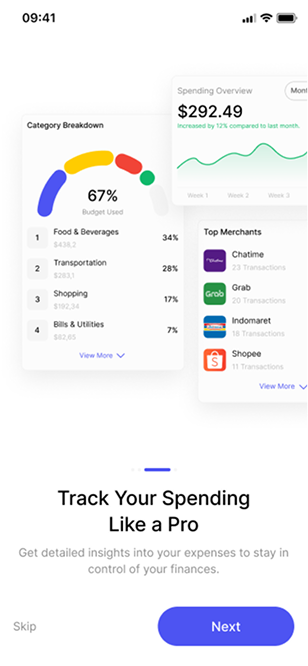
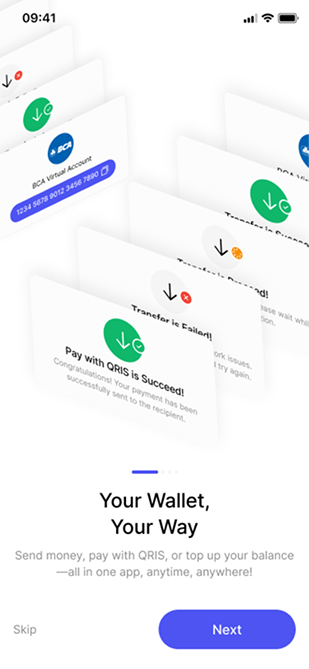
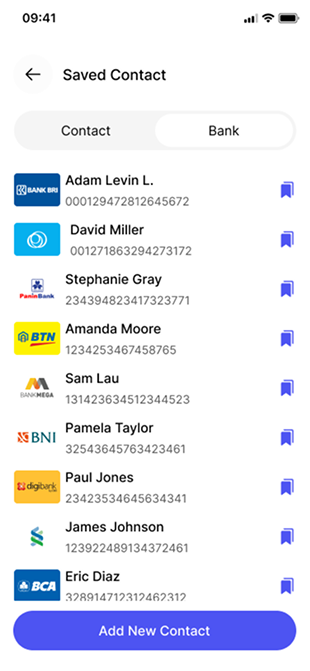
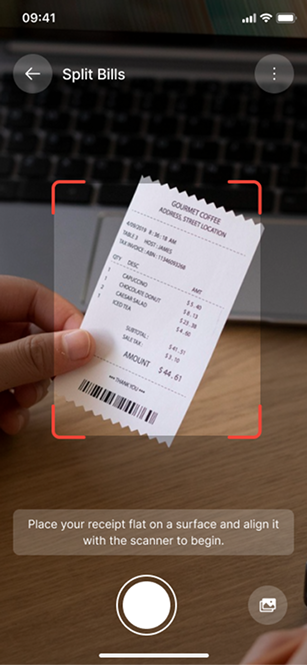
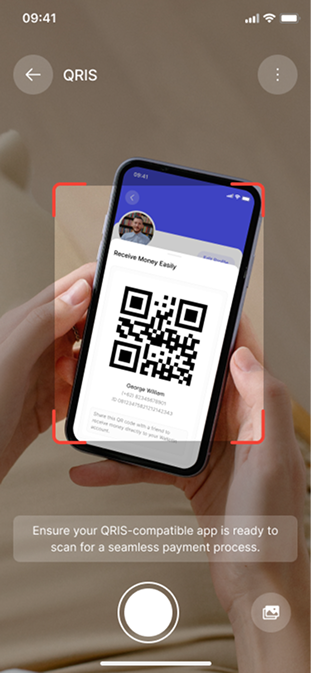

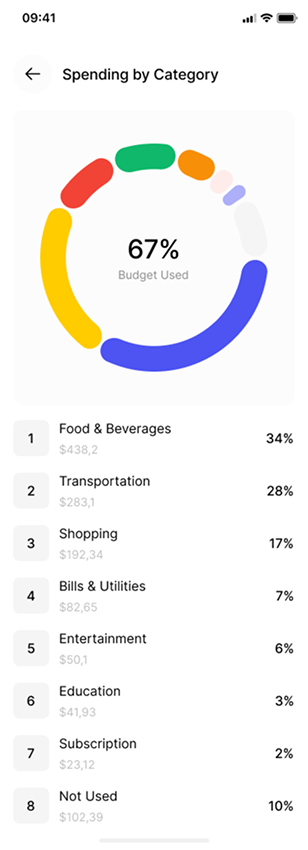
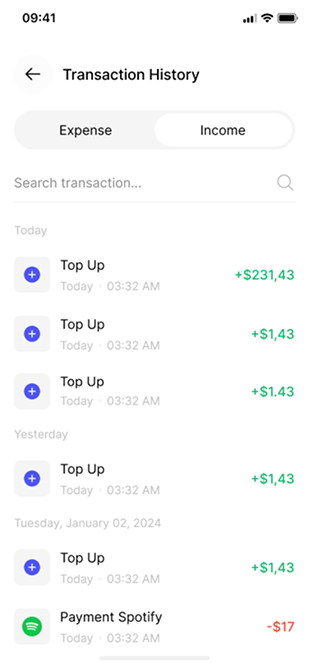
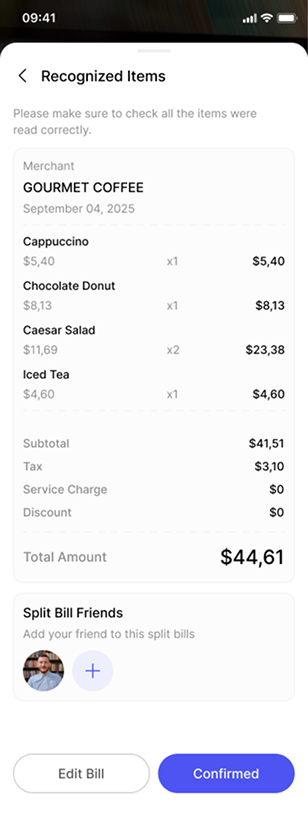
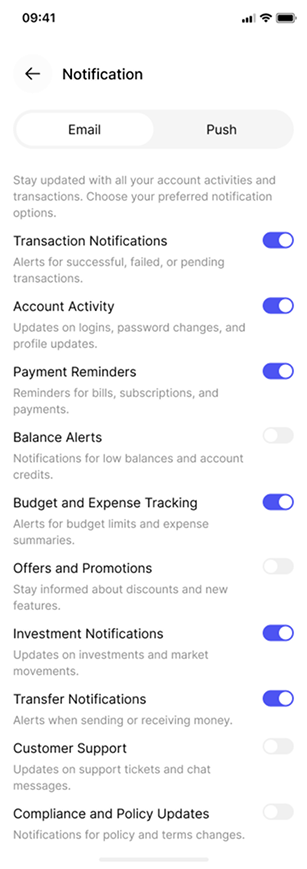
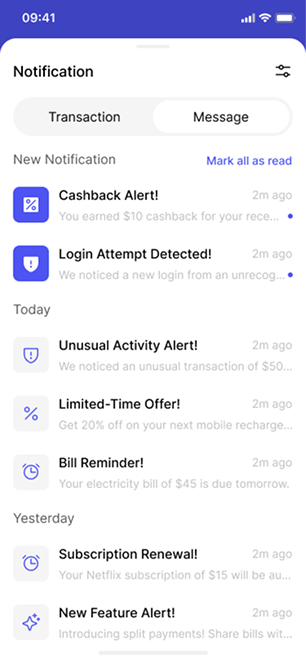
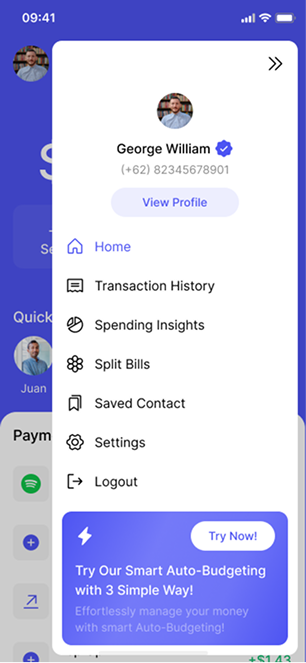
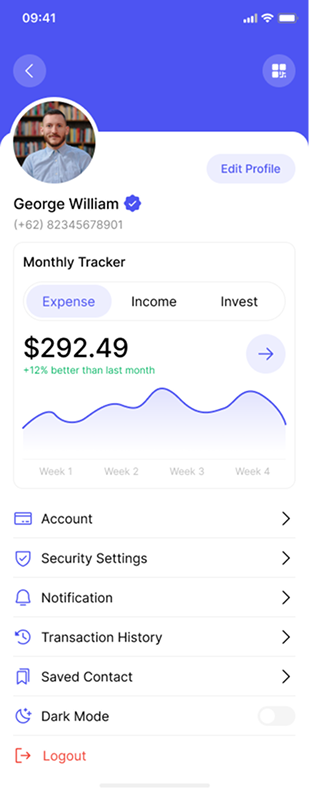
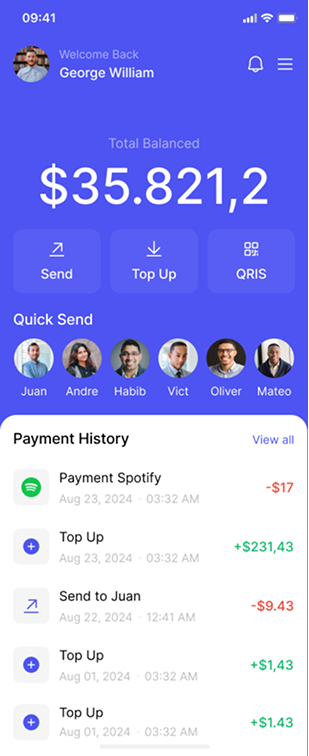
Introduce the automatic budgeting feature and its setup action.
01 / 21FROM THE PROJECT FILES
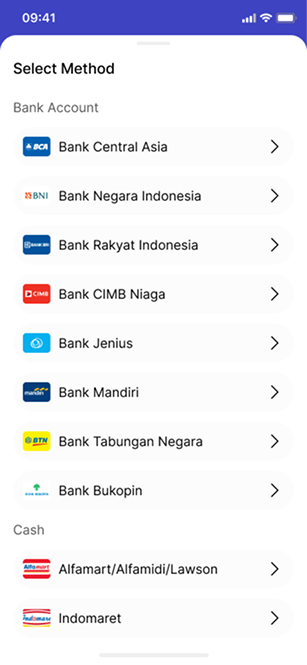
These screens also appear in the walkthrough. Side by side, the transfer, method and status details are easier to compare. Values shown are sample data.
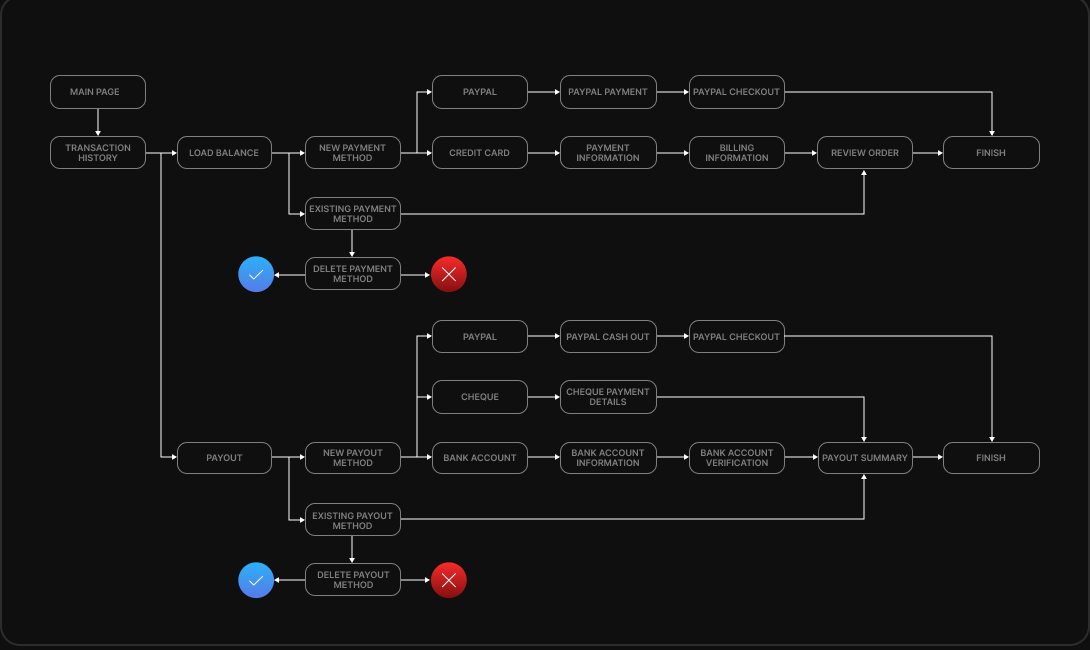
How the shipped screens connect.
Key structures in the shipped product:
SCREEN DETAILS / STATUS COPY
Notes on the shipped transfer and status screens.
Transfer entry identifies the payment being prepared; the separate status view describes what happens after submission. Together they define where status copy has to do its work.
In the shipped screen, completion wording and a pending label appear together. Looking back, that is the inconsistency I’d fix first.
The retrospective example keeps the amount information and rewrites the status explanation.
The first two notes describe what shipped; the third is a retrospective example.
03 / PROJECT RECORD
The shipped screens, the open question and how I’d validate the next iteration.
End-to-end product design as Design Lead in 2022, in an eight-person team, through to launch. The transfer, method and status screens shown here are the shipped design. The pending-state change in the retrospective is a later copy refinement, not part of the release.
The design treats account entry, transfer details, method selection and transaction status as distinct steps. The open question is the pending state: whether senders read it as complete. That is where my retrospective starts.
04 / RETROSPECTIVE
Reviewing a transfer and knowing it has completed are different tasks. Looking back, I’d design to that boundary: retain the payment details, name the processing state and give the sender a route back to Activity.
What I’d change next. The shipped screens appear above; everything in this section is post-launch thinking.
Wallet overview
Consistent US-dollar formatting
Your transfer is still processing. Check its status before trying again.
A copy and status refinement. The original app screen gallery is retained in the earlier product walkthrough.
Retrospective interface states with sample data.
LATER DESIGN EXPLORATIONS
Put “Pending” in the heading and retain the transaction details. A small change, but it still leaves the next step under-explained.
Use an explicit state heading, a short explanation, a transaction reference and a route back to the transfer. Keep success as a separate destination.
I’d choose Direction B because it answers both “what happened?” and “what should I do now?”
PROPOSED REFINEMENT
An explicit pending state adds explanatory copy, but keeps the financial status unambiguous. Any timing promise or retry advice must come from the payment system, not the interface designer.
Schematic of the retrospective direction · not shipped.
Your transfer is still processing. Check its status before trying again.
Ask participants to explain the state and choose their next action without prompting. Check whether anyone interprets it as success or tries to send the payment again.
Use these questions to evaluate the next iteration.
The decision is to separate submission from settlement: show pending status, retain the transfer reference and route back to Activity. This is my retrospective direction, not a shipped change.
Use a task-based prototype review to check whether someone can distinguish pending, completed and failed transfers and find the relevant transaction. Record mistaken retries as well as task completion. Confirm state labels and retry behavior against the payment system before implementation.
The question I’d test first: can someone tell the shipped pending screen apart from a completed transfer? The retrospective wording is what I’d put in front of participants.