
Overview structure
Four totals, a chart and threat rows share the overview. The layout pairs aggregate context with record-level information on a single screen.
2019 · Senior Product Designer · 12-person team · Shipped
I owned end-to-end product design for Norton OPS as Senior Product Designer. I designed the security-monitoring interfaces that shipped, from the system overview to threat review, user access and configuration.
Explore the shipped screens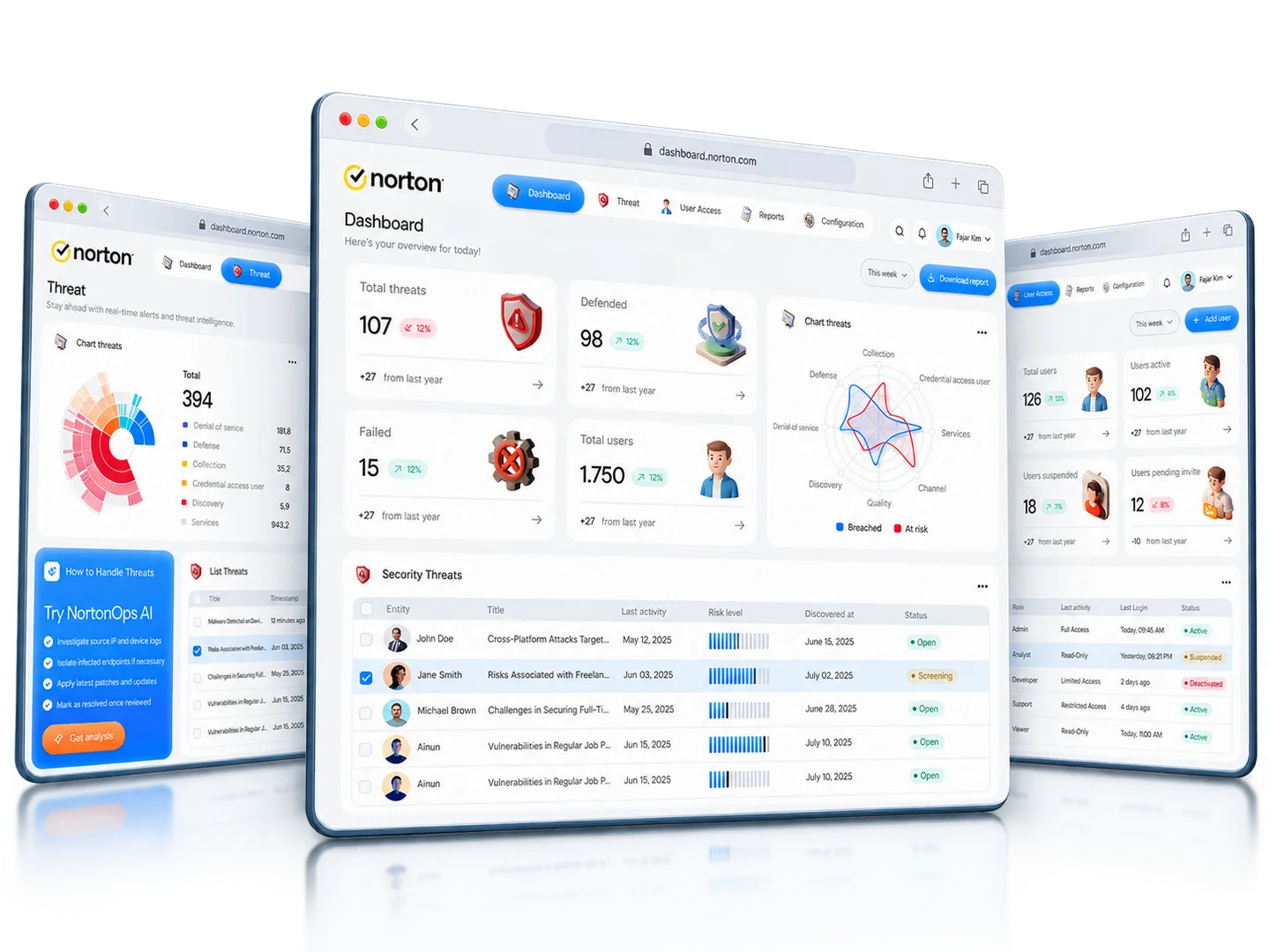
PROJECT AT A GLANCE
See what the shipped design covers. Project record
Chapters Swipe or scroll for more
01 / CONTEXT
Norton OPS is a security-monitoring platform: a system overview, threat information, user-access records, reports, configuration and profile settings. The product has to serve two kinds of reading at once: aggregate system health and the individual records behind it.
In 2019, I owned end-to-end product design for Norton OPS as Senior Product Designer within a 12-person project team. The product shipped. This case study walks through the monitoring interfaces as they shipped, followed by a retrospective on how I would rework the overview hierarchy. The shipped screens shown here cover:
02 / SCREEN REVIEW
THE PRODUCT
Walk through the shipped screens below.
These are the monitoring screens as they shipped. The exception-first alternative later on the page is retrospective thinking, not part of the release.
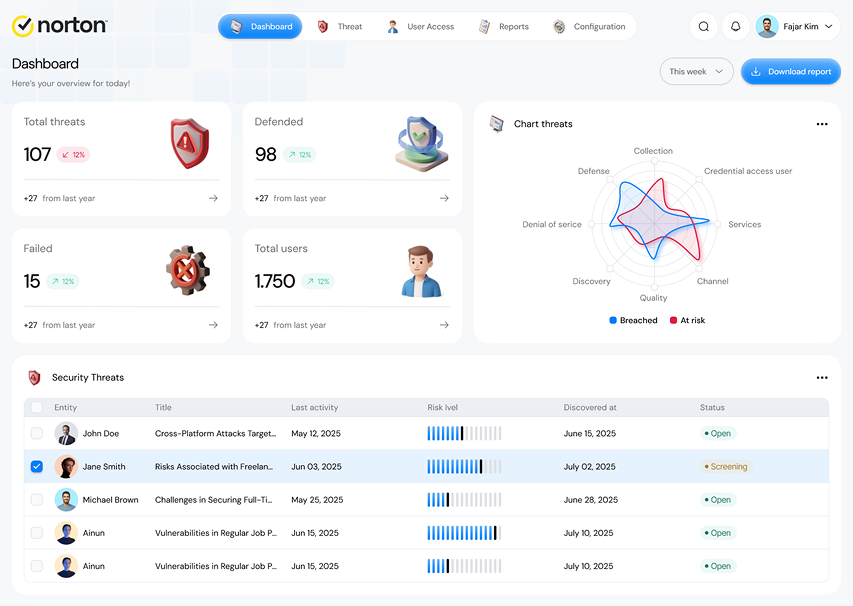
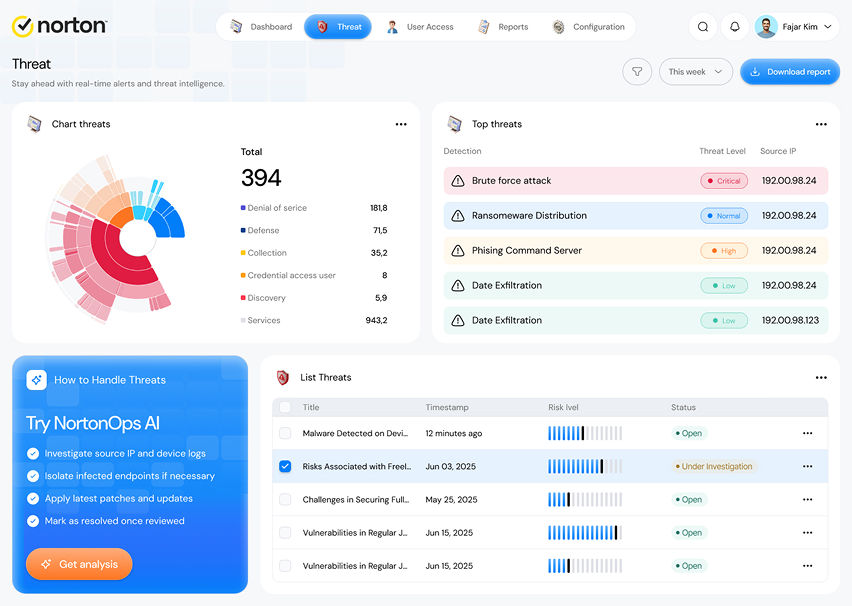
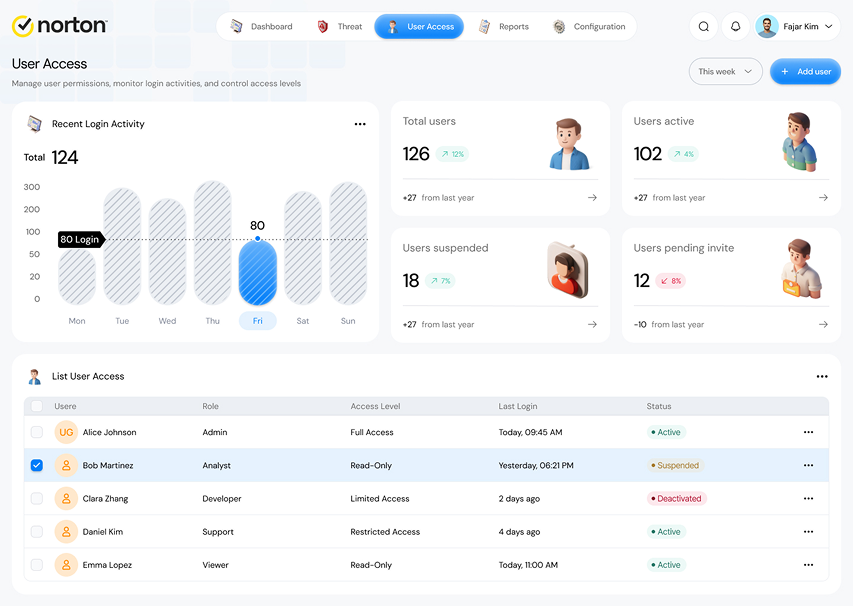
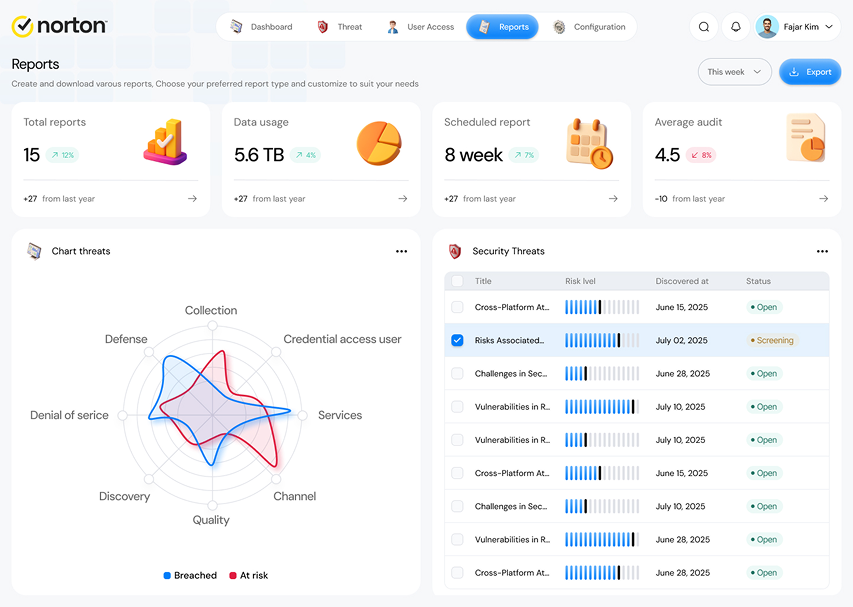
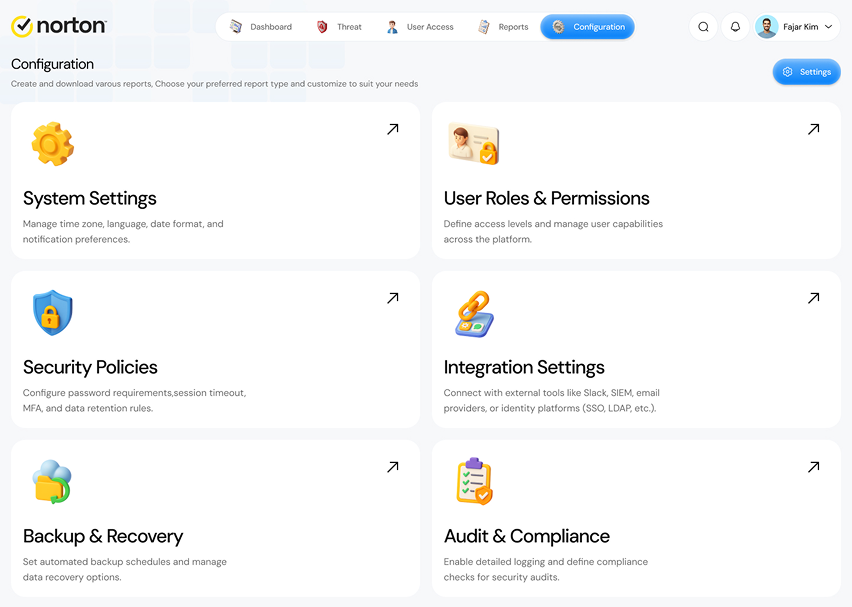
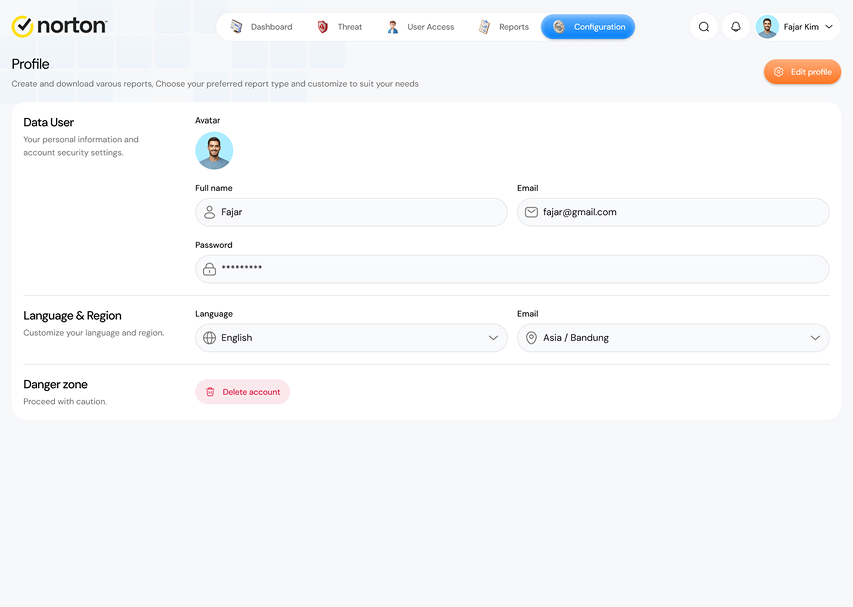
Review system totals, a threat chart and an incident table. Exception-first prioritization is discussed in the retrospective below.
01 / 06FROM THE PROJECT FILES
Screens from the shipped product, titled as they appear in the UI. Counts, dates and identities are sample data.
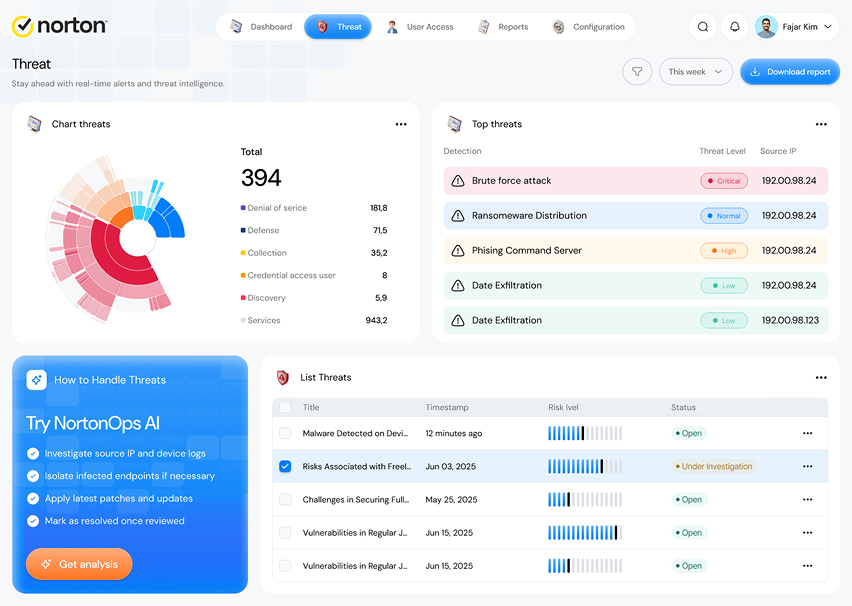
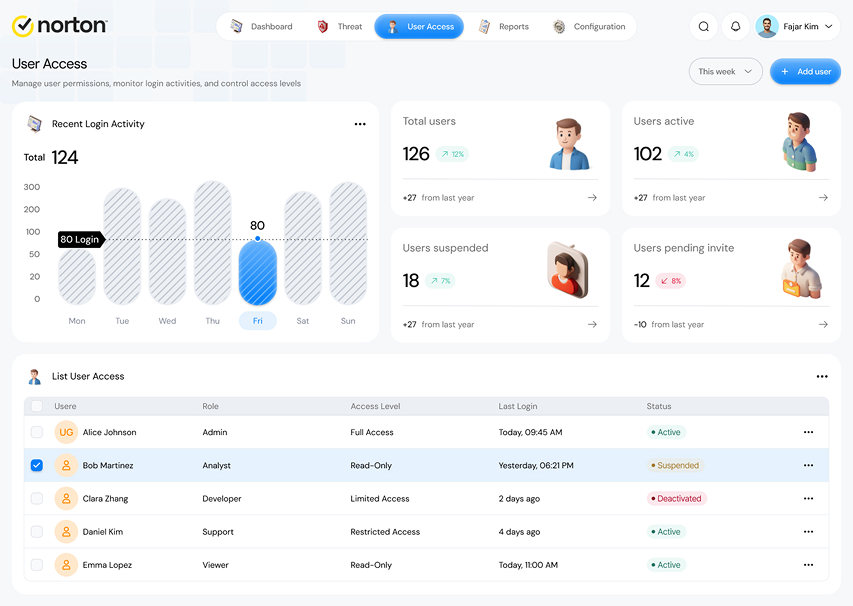
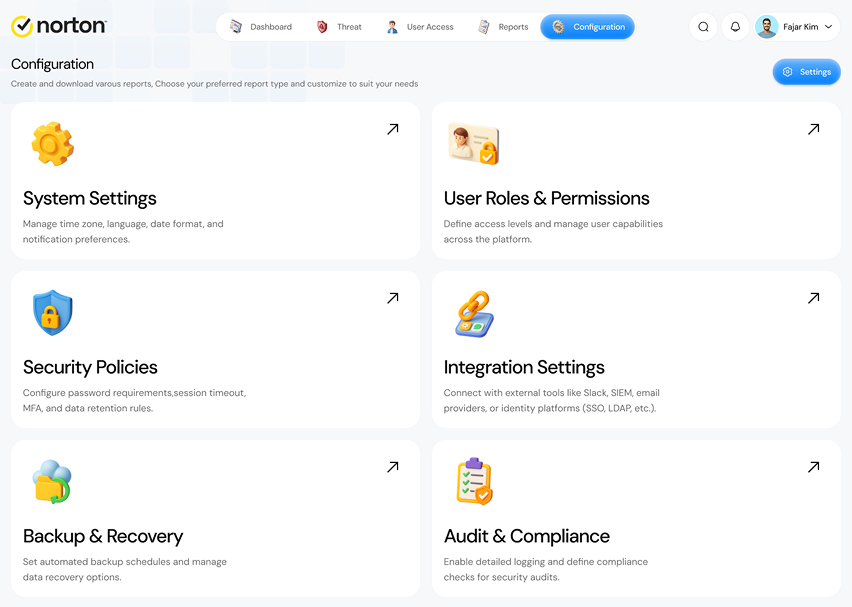
How the shipped screens connect.
Key structures in the shipped product:
DESIGN STRUCTURE
Two structural choices in the shipped dashboard, and one I would revisit.
Four totals, a chart and threat rows share the overview. The layout pairs aggregate context with record-level information on a single screen.
Access records and configuration have their own screens, so administrative tasks stay out of the monitoring flow.
Looking back, I would move exceptions ahead of aggregates. That ranking depends on an agreed severity policy, so it belongs in the retrospective rather than the release.
The first two notes describe what shipped; the third is retrospective.
03 / PROJECT RECORD
The scope of the release, and the questions I would take into the next iteration.
End-to-end product design as Senior Product Designer in 2019, in a 12-person team; the product shipped. The release covers the system overview, threats, user access, reports, configuration and profile settings. The exception-first queue is retrospective thinking, not part of the release.
Aggregate health and individual threat records are visible together, each threat row carries its risk level and status, and access and configuration have dedicated screens.
04 / RETROSPECTIVE
The shipped dashboard puts summary totals, a threat chart and an incident table on one screen. Looking back, the question I would push further is which signal should lead someone toward the next investigation.
Shipped design and retrospective. The labels below mark what shipped and what I would change next.
Total threats, defended, failed and users share similar card weight. They describe the system well, but none of them signals which item needs action first.
The radar chart compares breached and at-risk signals across categories. It supports comparison, but leaves the reader to work out which incident to investigate.
Risk level and status sit beside individual rows. This is where an overview can become an investigation, provided priority and the route into detail are explicit.
Incident titles, risk level and status appear together so the next investigation has context.
Scroll across the enlarged screen. Keyboard users can focus the image area and use the arrow keys.
WHAT I’D CHANGE NEXT
Keep the shipped summary-led hierarchy. Useful for a broad status review; individual exceptions remain lower on the page.
Surface the highest-priority items first, then keep totals and comparison charts as supporting context. Ranking must follow an agreed severity policy.
Direction B is the triage-oriented alternative I would pursue. Direction A remains the right fit for a status-review audience. The choice depends on who owns the first action, which is the first thing I would confirm.
RETROSPECTIVE
Prioritization helps only when the ranking is trustworthy. Keep the reason for each rank visible and preserve filters so an analyst can challenge the default order.
Retrospective schematic · not part of the shipped product.
The hierarchy I would use next. Labels describe the structure, not security data.
Give participants an incident-review task. Observe which item they choose first, whether they can explain its priority, and how they reach the relevant detail. Compare errors as well as task time.
These are the questions I would use to evaluate the next iteration.
The trade-off is status review versus incident triage. Aggregate health summarizes the system; an exception-first queue prioritizes investigation.
Use equivalent incident scenarios and an agreed severity rubric. Ask reviewers to choose the incident that needs attention, explain why and reach its detail. Record missed critical incidents and incorrect choices alongside time; a faster choice alone does not mean better triage.
Which threat would a reviewer investigate first, and which visible risk or status field supports that choice? Answering that means agreeing a priority policy before redesigning the overview.